Summary
Prodoc connects to the New Zealand Meat Board (NZMB) to request quota certificates via their Quota Management System (QMS). This is an optional integration, requiring registration with NZMB and configuration within Prodoc.
The QMS supports quota certificate requests, amendments to unapproved requests, cancellations and digital certificates for certain quota types.
Certificate lifecycle
Once submitted to the NZ Meat Board the certificate request progresses through various stages.
Pre-approval
- Pending Approval
This status indicates the certificate passed validation and is waiting for review by the NZMB team.
- Requires Attention
This means QMS has flagged the request for an issue, such as insufficient quota or a plant that is awaiting approval.
Post-approval
- Pending Release
The request has been reviewed by the NZMB team but the certificate has not yet been released.
- Released
The certificate has been generated and released to print/download depending on quota.
Requesting a certificate
Requests for quota certificates are performed using EDI messages in Prodoc. All of the messages start with the prefix 'NZMB' and are named for the quota type.
Depending on your products and the markets you ship to you may not see all quota types.
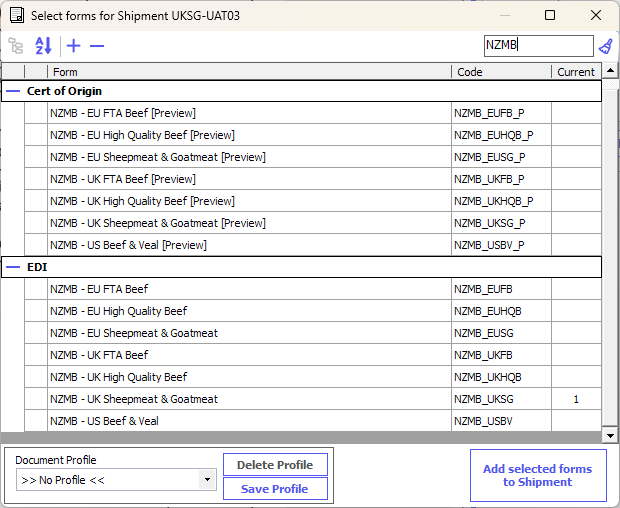
Each EDI form has a corresponding preview form, and this is shown when you view the EDI message in the Forms screen.
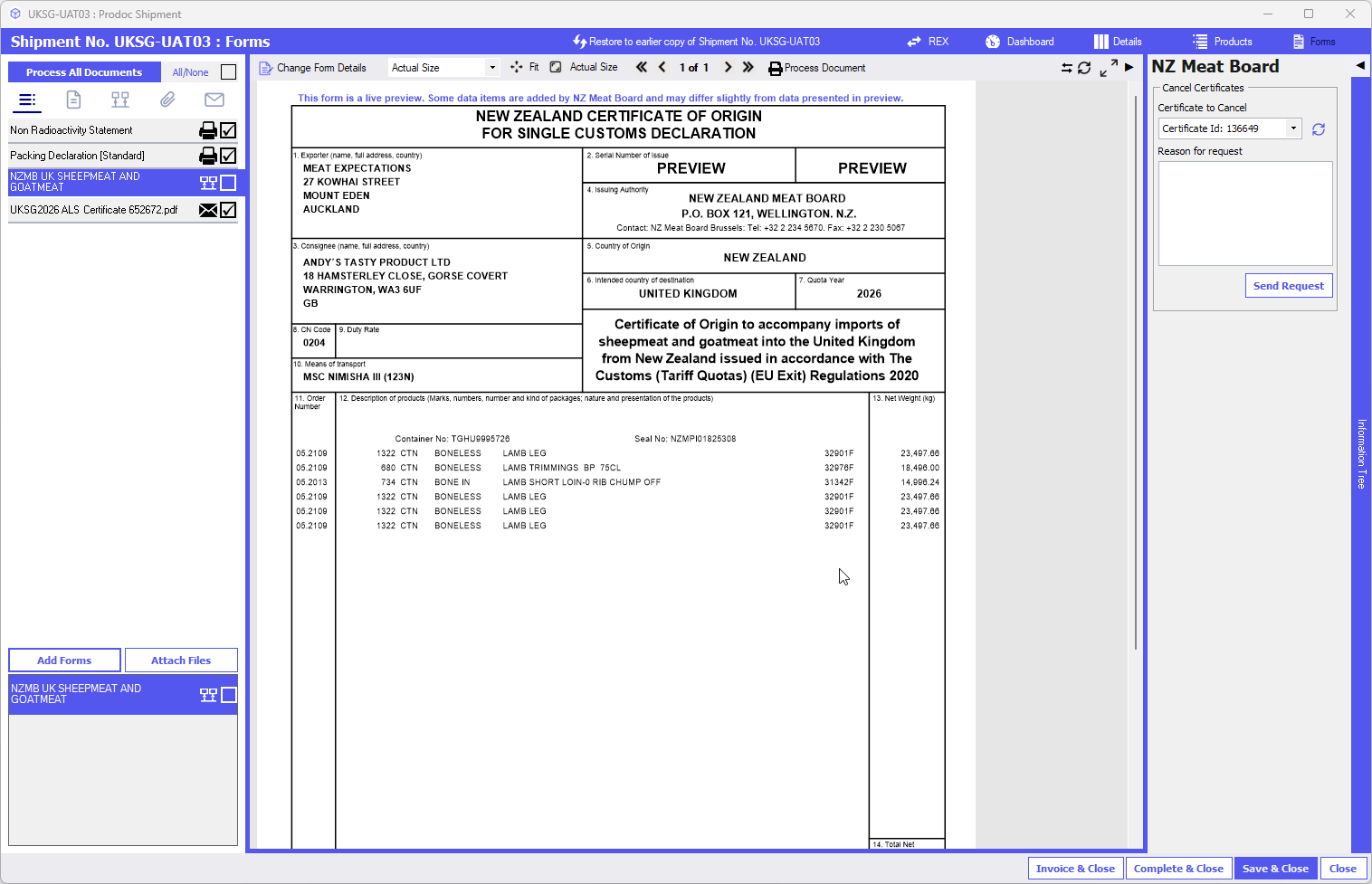
As with any EDI message, you can send either via Process Document -> Send EDI Message whilst viewing the form or using Process All Documents and sending as Final.
Following submission, check the Dashboard screen to see the progress. If there is a failure, you can click the Show button against the EDI message in History to see what the reason was.
Below are examples of standard submissions for quota with and without digital certificates.
For a quota that allows a ditigal certificate, it will be downloaded by Prodoc once Released:

For quotas that do not allow digital certificates, you'll see a message indicating this:

The digital certificate (where available) will be added to your Prodoc Forms screen for the shipments as a PDF.
Amending an existing certificate request
Amending Pre-approval
If the details of your shipment change pre-approval, you can simply change the details in Prodoc and resubmit to NZ Meat Board. The EDI message will automatically reference the previous submission and will amend it. The history will still show 'saved successfully' with the same certificate ID as the original.
Amending Post-approval
You cannot use the amendment once the certificate has been approved. You will receive the error "Certificate cannot be modified once approved or processed."
Cancelling a certificate request
To cancel a request, use the NZ Meat Board panel alongside the EDI form:
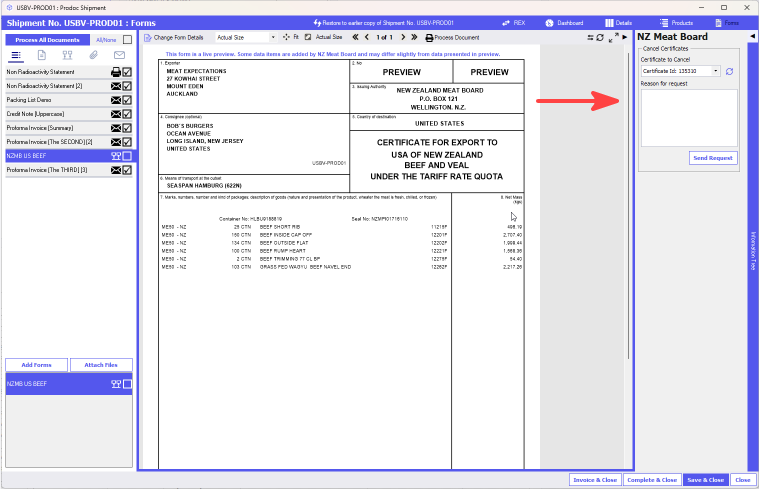
Make sure the Certificate ID selected is the one you're looking to cancel (you can see the ID for all certificates you've raised for the shipment in the History). Enter a reason you're requesting cancellation.
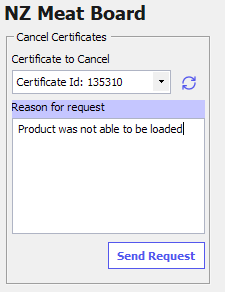
Cancelling Pre-approval
Prior to approval, any cancellation request takes the form of a 'deletion' meaning the certificate will be completely removed from the QMS system. Prodoc will allow you to submit a new request if you have deleted your existing request.

Cancelling Post-approval
Following approval, any cancellation request will go into a queue for the NZMB team to process. Prodoc will only know that the cancellation request has been successful, which is not the same as the certificate being cancelled.
Note: you cannot request cancellation until 90 minutes after approval of the certificate. You will get a rejection message telling you how long is left to wait.
Where cancellation is Accepted, this is shown in History:

If the NZMB reject your cancellation request, the certificate reverts to its previous status but no status update is received into Prodoc.

Was this article helpful?
That’s Great!
Thank you for your feedback
Sorry! We couldn't be helpful
Thank you for your feedback
Feedback sent
We appreciate your effort and will try to fix the article