If you receive the following error in Prodoc when submitting a document to Origin:
City not defined
422 Unprocessable Entity
result FAILURE
errors
consignee
address.city - City not defined
This error occurs when the City has not been entered into the correct field in Prodoc.
You can view the full error in the History tab on the Dashboard screen.

In the full error details, you will see the consignee section. This indicates that the issue is with the consignee's address information.
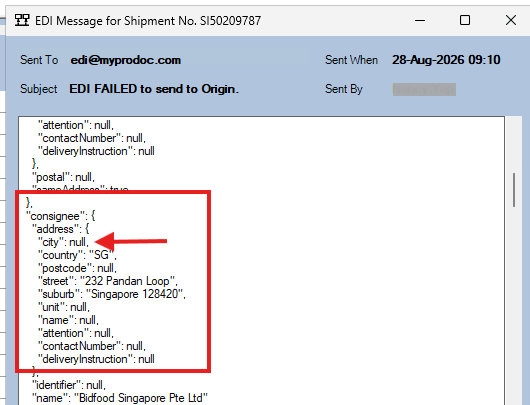
To determine where the City needs to be entered, it is recommended that you open a working shipment and compare the address fields. This will show you where the City should be entered.
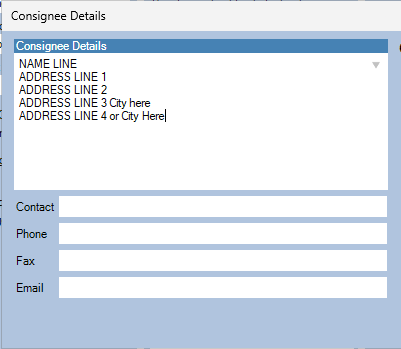
The preferred solution is to use the EDI address fields. Because this is an EDI form, the address information should be entered into the appropriate EDI fields rather than the standard address fields.
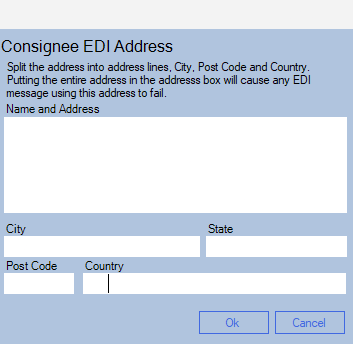
Once the City has been entered into the correct EDI address field, try submitting the document to Origin again.
Was this article helpful?
That’s Great!
Thank you for your feedback
Sorry! We couldn't be helpful
Thank you for your feedback
Feedback sent
We appreciate your effort and will try to fix the article