Issue:
Printed documents and forms are cutting off at the bottom, but they appear normal in the form editor.
Cause:
The PDF generator Prodoc uses to creates your documents, Microsoft Print to PDF, is set to the wrong paper size.
Solution:
Change the paper size for the Print to PDF printer to A4.
Open Windows Settings - you'll find this in the Start Menu, or hold the Windows key and press 'i'
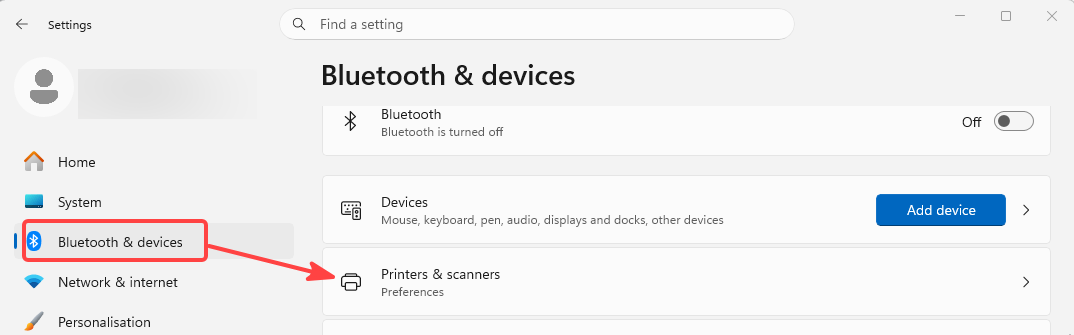
Go to Bluetooth & Devices, and then Printers & scanners
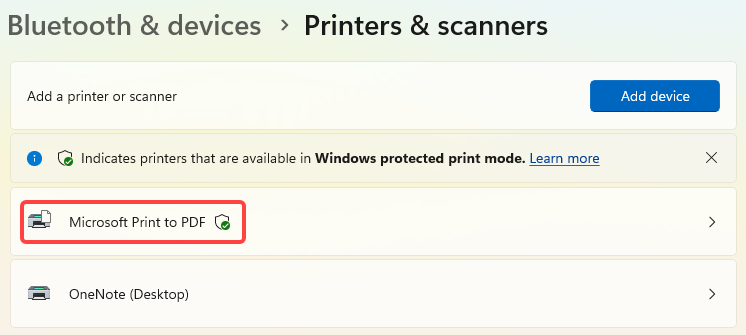
Find your Microsoft Print to PDF printer and click on it.
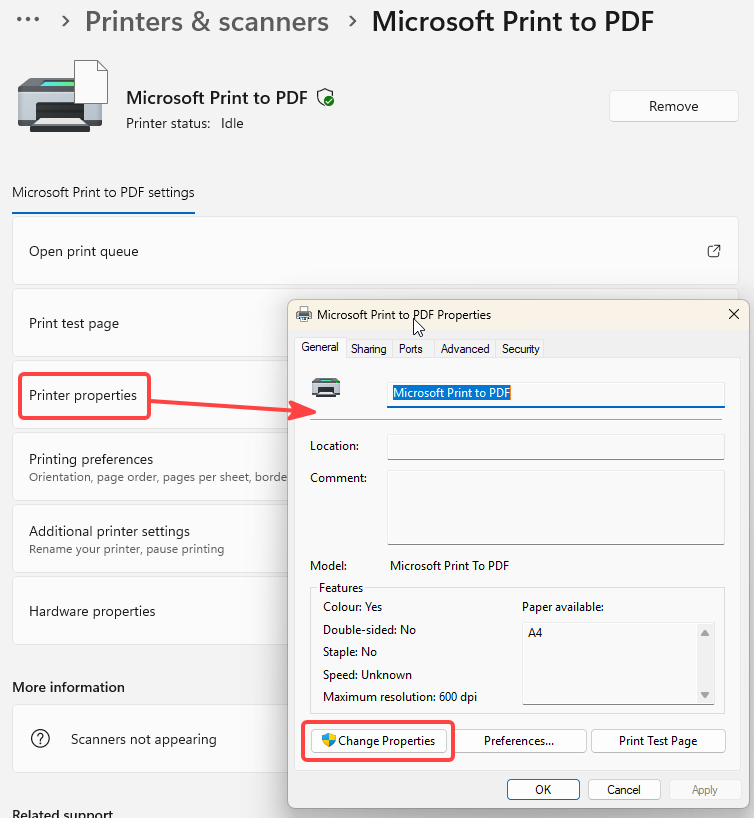
Open Printer properties, and in the window that opens choose Change Properties
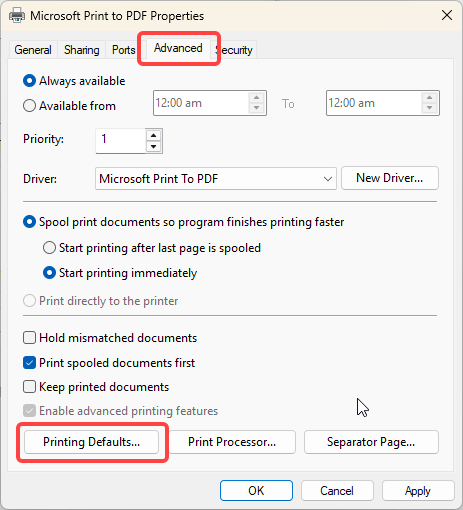
Choose the Advanced tab and click Printing Defaults
In the new window, choose Advanced and in the window that opens you should see Paper Size.
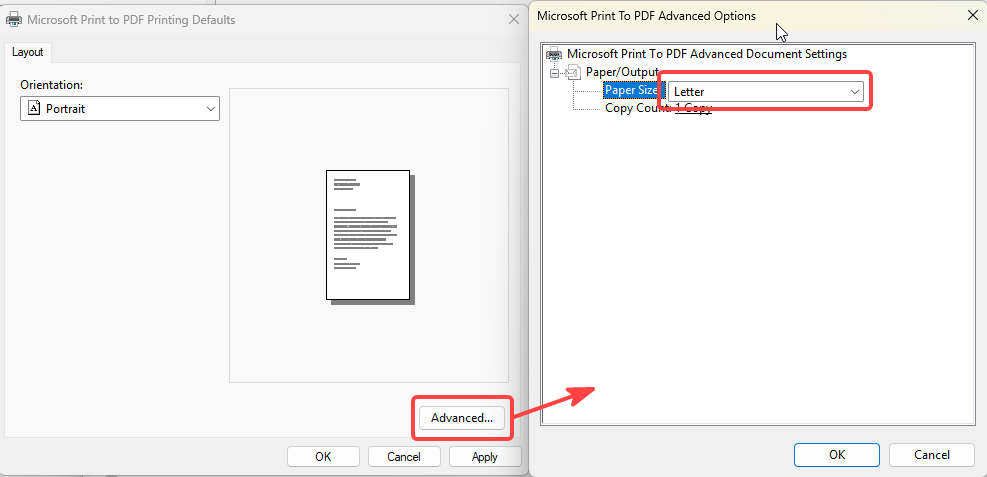
Change the Paper Size to 'A4'
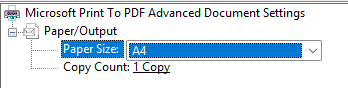
You can now click OK on all the windows you opened and then close settings. Your PDF files should now be A4 layout.
Was this article helpful?
That’s Great!
Thank you for your feedback
Sorry! We couldn't be helpful
Thank you for your feedback
Feedback sent
We appreciate your effort and will try to fix the article